
Scanning a QR code has quietly shifted from a novelty to a reflex action. You see them on menus, parking meters, receipts, table top placards, everywhere. If an organization wants to deliver digital information to a user in the physical world, they print a square of dots. And people scan without thinking.
For anyone who puts a QR code out in the world, a marketer, a restaurateur, an event organizer, this feels like magic: that printed square delivers users to a digital asset. For an attacker, it is an invitation to use your brand to scam users.
The QR code is fundamentally asymmetrical. Unlike a URL, a human can’t read the black-and-white grid and understand what it does or where it goes. Instead, they rely entirely on the visual context around it—your company’s logo, your branded sign, your physical premises. The code borrows your brand equity to mask an arbitrary payload. So when a scammer slaps a vinyl sticker over your menu sticker, signage or parking meter, your print materials become a direct pathway for fraud.
Federal agencies and consumer regulators now issue regular alerts about “quishing” (QR phishing). Yet most warnings tell users to “be careful,” offering zero practical guidance to the people actually printing the materials.
You cannot stop a bad actor from printing a sticker with a bogus QR. But you can design your collateral so tampering is immediately obvious, payloads are transparent, and scans are reliable across every phone camera.
Not only does this reduce your immediate exposure, these practices build trust over time. Taking ownership of your code’s behavior in the field is like ‘conversion insurance’. When people trust your codes, they scan them. When they get burned, they stop.
Below are practical guidelines for printing QRs that protect your users and your brand.
1. Make the Destination Obvious
When a phone camera recognizes a QR code, the OS displays a small preview bubble in the viewfinder. That preview is your first—and often only—line of defense. Give your users the context they need to verify what their screen is showing before they tap through.
Anchor on the destination. Never print a bare QR code by itself. If the code routes to a website, print the plain-text URL right beneath it (brand.com/menu). If it joins a guest network, print the network name (SSID). If it initiates a payment, print the exact recipient name or payment address. When the printed text matches the on-screen preview, users can spot a misdirection instantly.
Keep your web address short. The preview bubble in iOS and Android viewfinders fits roughly 30 to 35 characters before it truncates with an ellipsis (...). If your link is qr.brand.com/summer, the user sees your exact company name right up front. If you bake in deep directory structures or tracking subdomains (analytics.marketing-cloud.us-east.brand.com/...), your real domain gets cut off. The preview turns into an unreadable string that looks suspicious to smart users and provides zero validation to everyone else.
A shorter link makes a better print. Bloated links produce dense QRs — more of those grids made of tiny squares (modules). On cheap paper or rough cardstock, those tiny dots bleed together in the ink. In dim restaurant lighting or through a scratched phone lens, dense codes fail to scan. Shorter links keep the grid sparse, sharp, and easy for any camera to read from a distance.
2. Own the Plumbing
Physical print can outlast your digital campaigns. A poster hung in an office lobby or an outdoor kiosk can sit untouched for months. Depending on who generates your codes and how they point to a destination, your print run can become a liability over time.
Anchor every code to your own domain. If your QR encodes a URL, keep the user inside your brand’s namespace from the very first hop. The viewfinder preview only displays the first hop of the URL, not where your server eventually routes them. Routing users through a generic URL shortener or a third party platform throws away the only visual verification cue your user has before they tap. Building around your own domain maintains a clear line of custody between the physical sign and what the user sees on the screen.
Point to a router, never the endpoint. Physical inks outlive marketing sprints. If you print a direct link to a temporary landing page, that code dies the moment the campaign ends. Old collateral ends up pointing to dead 404s or abandoned directories, which confuses users and opens the door to domain-hijacking attacks. Always direct your QR to a permanent, internal redirect relay: a lightweight routing rule on your server that recognizes the path and forwards the user to the correct downstream resource. This cleanly separates the ink on the poster from the destination on your server. You can swap targets, update seasonal menus, and gracefully sunset expired promos without having to send a crew out to scrape off old signs. And it gives you a friction-free mechanism to collect usage analytics and campaign performance.
Note: This is what vendors sell as “Dynamic QRs,” which is mostly marketing fiction. The printed matrix is completely static; it simply holds a fixed string conforming to standard specifications. The “dynamism” is standard Layer-7 plumbing: an HTTP redirect on a web server pointing to a new destination. You do not need an expensive subscription service for this; a lightweight redirect rule on your own domain handles it cleanly.
Avoid third-party link shorteners. Public shortening services (bit.ly, tinyurl) save space, but they obscure your identity. Worse, you lose operational control. If a third-party platform flags your account, alters its routing logic, or suffers downtime, your physical signage goes dark with it. Keep all routing inside your own branded infrastructure.
Never use “free dynamic QR” or similarly marketed generators. Services found via quick web searches often run a bait-and-switch. They route your code through their intermediary domains for free until the collateral is already in the field, then deactivate the link or hold the destination hostage behind a recurring monthly fee. Generate your codes in-house using command-line utilities, open-source libraries, or native design tools, pointed exclusively to domains you own.
Plan for retired campaigns. When an initiative wraps, never dump traffic onto a generic homepage or leave behind a dead 404. Update the server relay to serve a deliberate landing page: “This promotion has closed, but here is what is happening now.” If an unmanaged domain behind an obsolete print run lapses entirely, an attacker can register it and serve malware directly from your legacy collateral.
3. Make Physical Tampering Obvious
Most real-world QR attacks rely on the simplest exploit imaginable: placing a sticker directly over your printed code. Design your materials so an overlay looks glaringly out of place.
Print the code directly on the stock. Never use QR stickers on your own materials. Print the matrix directly onto the metal, acrylic, cardstock, or signage. If an attacker puts a sticker over a directly printed surface, the physical difference is easy to see and feel.
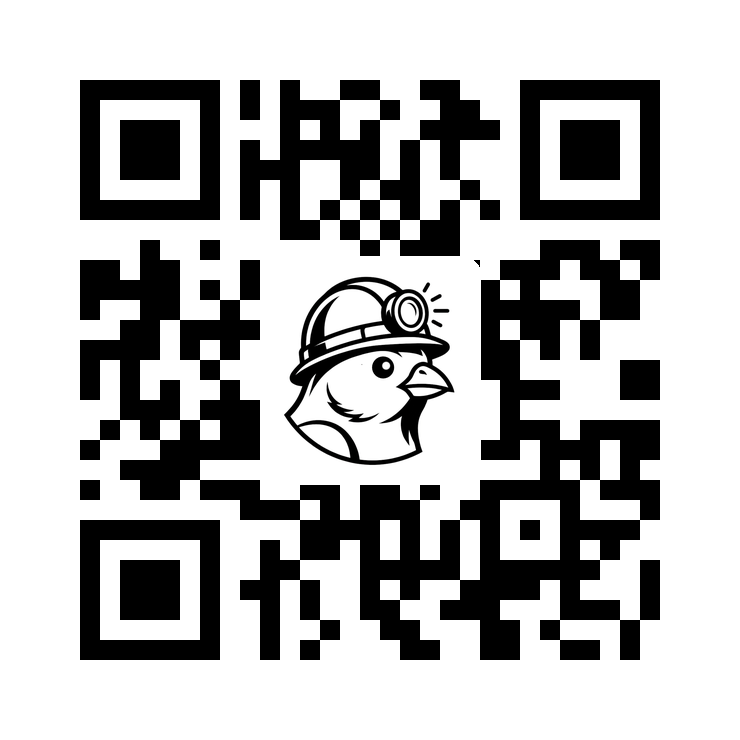
Add your logo to the QR. Adding your logo doesn’t prevent a spoofed sticker, but it links the QR to your brand and reassures the user. It also makes it harder for the scammer to scale their attack, meaning if a user expects a brand in the QR, the scammer can’t use a generic QR without a logo. Bump the Error Correction Level to Q or H, then overlay your logo in the center. The higher ECC lets the code still scan even though the logo covers part of it.
Recess the print behind protection. Mount sensitive public-facing codes like payment instructions or ticketing systems behind a layer of clear, anti-glare plastic, or use recessed frames for the QR. A raised sticker applied over a recessed surface creates an obvious edge that can be seen and felt.
Avoid high-gloss surfaces. While laminates protect paper from weathering, high-gloss plastic and polished acrylic reflect bright sunlight and overhead fixtures. Glare washes out the camera sensor, forcing the user to lean in, tilt their device, or give up entirely. Use matte finishes on all outdoor and public signage.
Audit in the field. If you run a physical venue where your codes are presented, train your staff to visually inspect them and run a finger over them on a regular basis. A rogue vinyl sticker has a physical ridge that a human finger easily detects.
4. Set Clear Security Boundaries
A standalone code asking someone to “Scan Me” is the physical equivalent of an unsolicited email attachment. Tell people precisely what the code will do, and explicitly state what it will never do.
Use action-specific instructions. Replace vague “Scan Here” copy with explicit promises: “Scan to open our lunch menu” or “Scan to view parking rates.” Context helps users notice if the resulting screen asks for something different.
State your boundaries directly. If your code is in a high-trust or financial environment, tell users what is out of bounds. Print it plainly:
- “Our menu code only displays food items. Staff will never ask for payment details through this code.”
- “This parking sign links only to our app. We never collect credit card numbers via web forms.”
- “This code connects you to guest Wi-Fi. We never ask for personal data or an app download to join.”
When an attacker slaps a malicious payment sticker over a sign that clearly states “We never ask for payment details,” the scam falls apart.
Keep analytics off the physical code. Do not bloat your printed URL with dozens of tracking parameters, campaign tags, and referral strings. Encode a clean, simple link into the QR code, and let your web server append campaign variables and tracking cookies downstream after the user arrives, as described above in the ‘Point to a router…’ section.
Deliver lightweight mobile pages. When a user scans a physical code, they are balancing groceries, waiting in line, or otherwise distracted. Honor their intent immediately. Don’t redirect them to desktop layouts, heavy PDFs that require downloading, or interstitial splash screens. Your page should load in seconds over an ordinary cellular connection.
5. Production Specifications
A few non-negotiable print standards to keep in mind before sending collateral to the press:
Honor the Quiet Zone. A QR code requires an unbroken margin of empty space—at least four modules wide—around all four edges. Designers often crop too close to the matrix or crowd it with borders and text. Without this margin, camera software may struggle locating the corners of the code.
Maintain dark-on-light contrast. While modern high-end phones can occasionally read light codes on dark backgrounds, many budget sensors fail entirely. Avoid inverted colors, pastel shades, and brand-color palettes for the dots. Always stick to high-contrast dark modules on a clean, light background, even if your designers suggest otherwise.
Use the 10:1 distance ratio. Think about where your scanner will stand when they scan, and size appropriately. A menu on a table can be one inch wide; a billboard or subway sign scanned from ten feet away needs to be at least one foot wide. If a user has to stretch, lean over a railing, or squint through their camera to frame the code, the sizing is wrong.
Run proofs on actual stock, not a monitor. A backlit computer display does not represent ink on paper. Screen pixels do not reflect ambient light, wash out under fluorescent tubes, or absorb ink. Always print a physical 1:1 proof on the final paper or plastic substrate. Even better, take it to the actual installation site, and scan it with both an iPhone and an entry-level Android phone under real-world lighting. And if you add your logo, test scanability with Error Correction bumped to Q/H.
The Pre-Print Checklist
Before any QR code goes to print, run it against this list to make sure you are maximizing the trust factor.
↓ Download the one-page checklist (PDF)
Destination clarity
- Print the plain-text destination beneath the code (URL / network name / payee)
- Keep the link short, with your brand name first so the ~30-char camera preview shows it
Use your own plumbing
- Point to a domain you own — no third-party shortener (bit.ly, tinyurl)
- Encode a permanent redirect relay, not a one-off campaign URL
- Generate in-house (not a “free dynamic QR” site that can hold it hostage)
- Have a plan for when the campaign ends (a deliberate landing page, never a dead 404)
Tamper resistance
- Print codes directly on your material, not applied as a peel-off sticker
- Place your logo inside the QR, making it harder to spoof
- Display materials behind a fixed surface so an overlay is obvious
- Select matte finish materials, reducing glare
- Train staff to inspect public codes regularly
Establish clear boundaries
- Describe with action-specific copy (“Scan to view the menu”), not vague “Scan Me”
- State what the code will never do (“We never ask for payment here”)
- Use clean URLs, add tracking params server-side, not baked into the code
Production specs
- Quiet zone: at least 4 modules of clear margin on all sides
- High contrast: dark modules on a light background
- Sized to the 10:1 distance ratio for where it will be scanned
- Proofed on the actual stock and scanned on both an iPhone and a budget Android on-site, with Error Correction bumped to Q/H
A QR code is like a trust fall: your users are assuming your brand represents a safe and compelling transaction. When you print your codes, you’re asking prospects to expose their phone to your digital domain, so do everything you can to ensure they are satisfied.
If you make your codes simple to read, easy to verify, and hard to modify, you strip away the camouflage scammers rely on. You protect your brand’s integrity—and you make sure your print collateral actually does the job you designed it to do.
Spotted an error, have a comment, or know a QR case worth a teardown? [email protected]